Вариант 1: Пополнение криптокошелька через обменник
криптовалюты
Обменник — это самый простой способ купить криптовалюту. Вы оплачиваете с карты и
сразу получаете нужную монету на свой игровой криптокошелёк, без регистрации на
бирже и сложных действий. Процесс занимает несколько минут.
Платформа BestChange.com помогает сравнить обменники и выбрать самый выгодный
вариант.
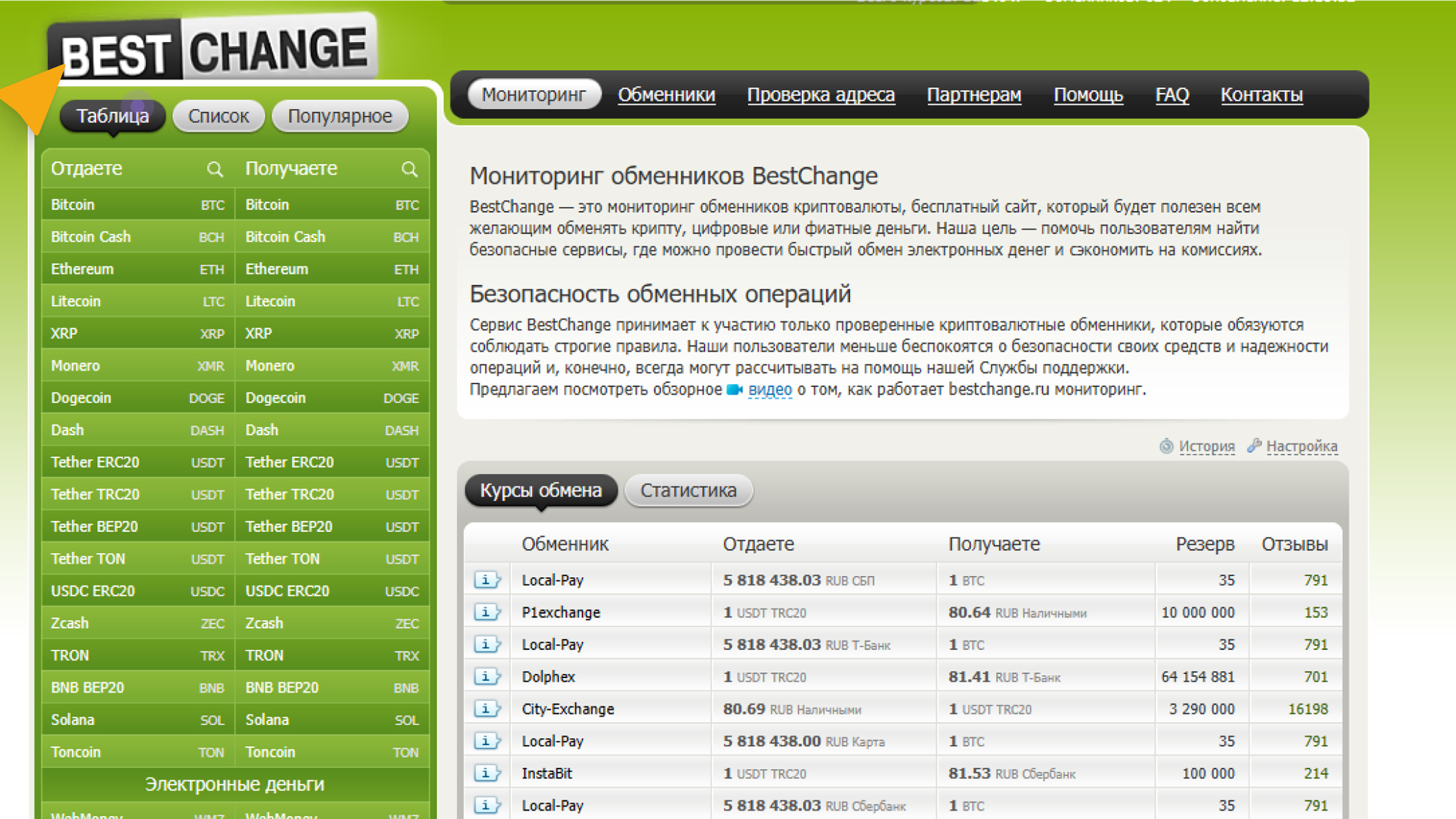
Как приобрести криптовалюту USDT (TRC-20) через обменник BestChange.com?
1
Перейдите на сайт BestChange.com.
2
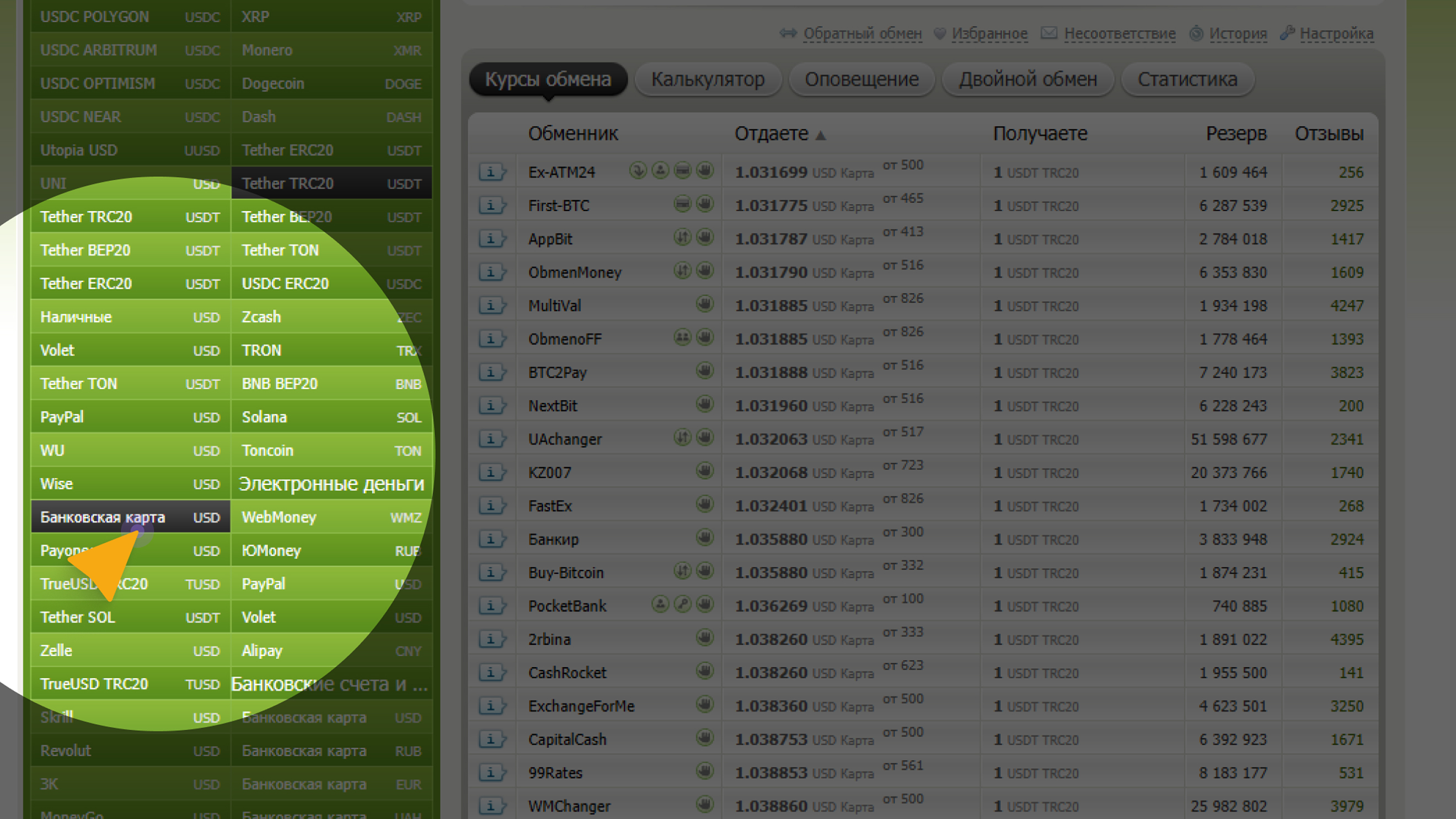
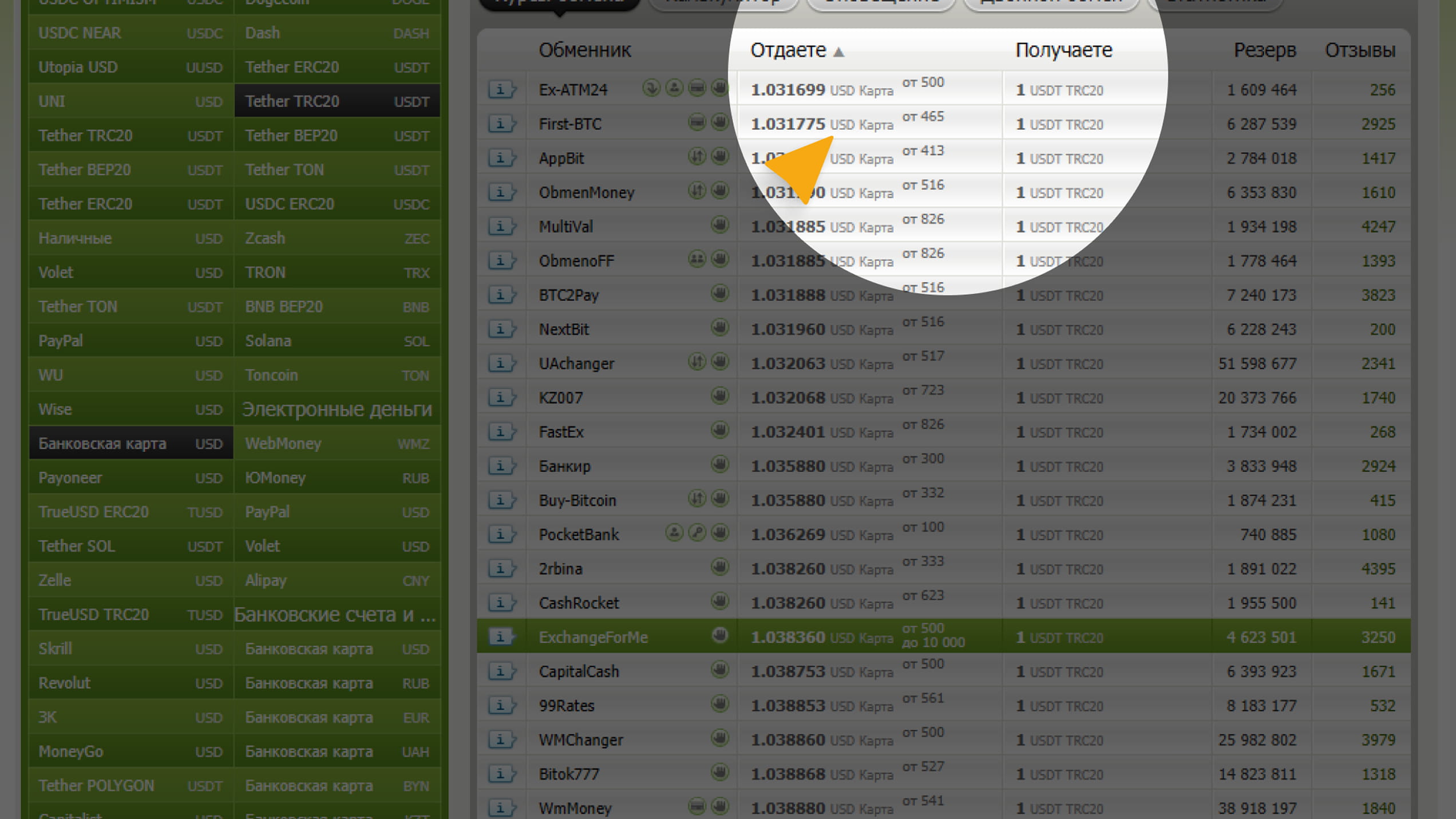
В левой колонке выберите, что отдаёте (например, банковская карта)
3
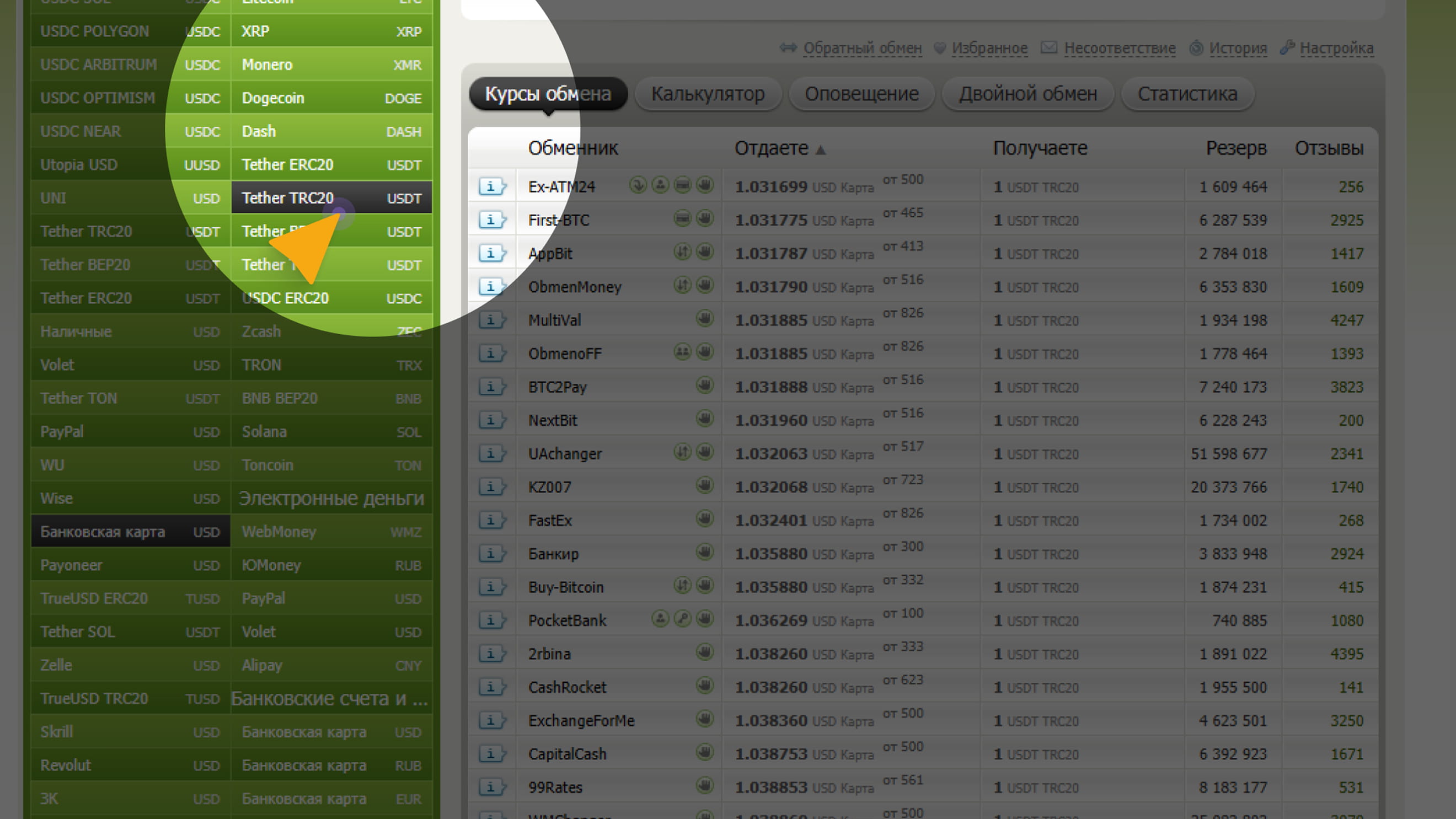
В правой колонке выберите, что получаете (USDT TRC-20).
4
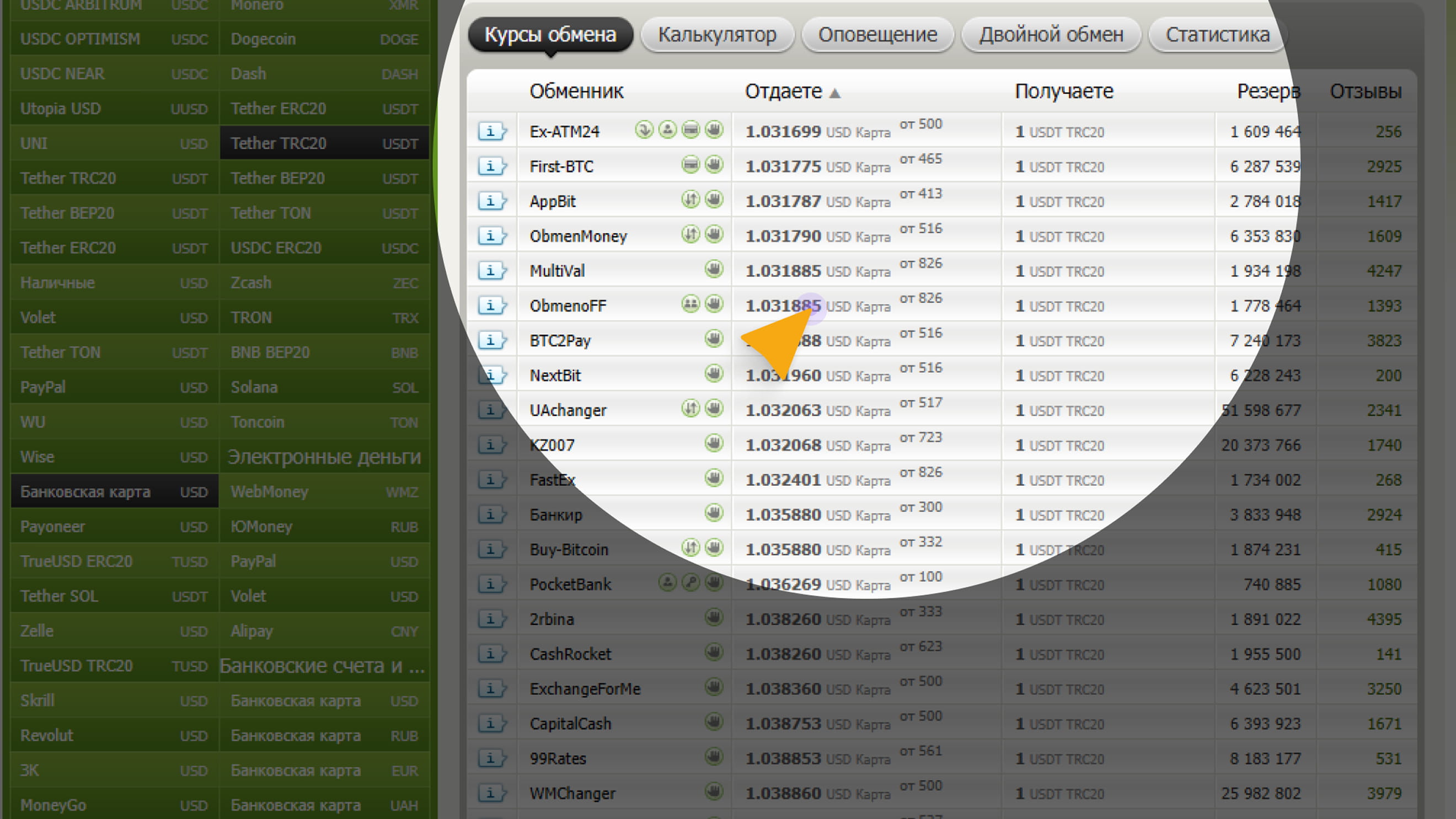
Сервис покажет список обменников с актуальными курсами и лимитами.
Рекомендации при выборе криптообменника
1
Проверьте, сколько USDT вы реально получите после всех комиссий.
Курс отображается в таблице BestChange в колонках «Отдаете» и
«Получаете».
2
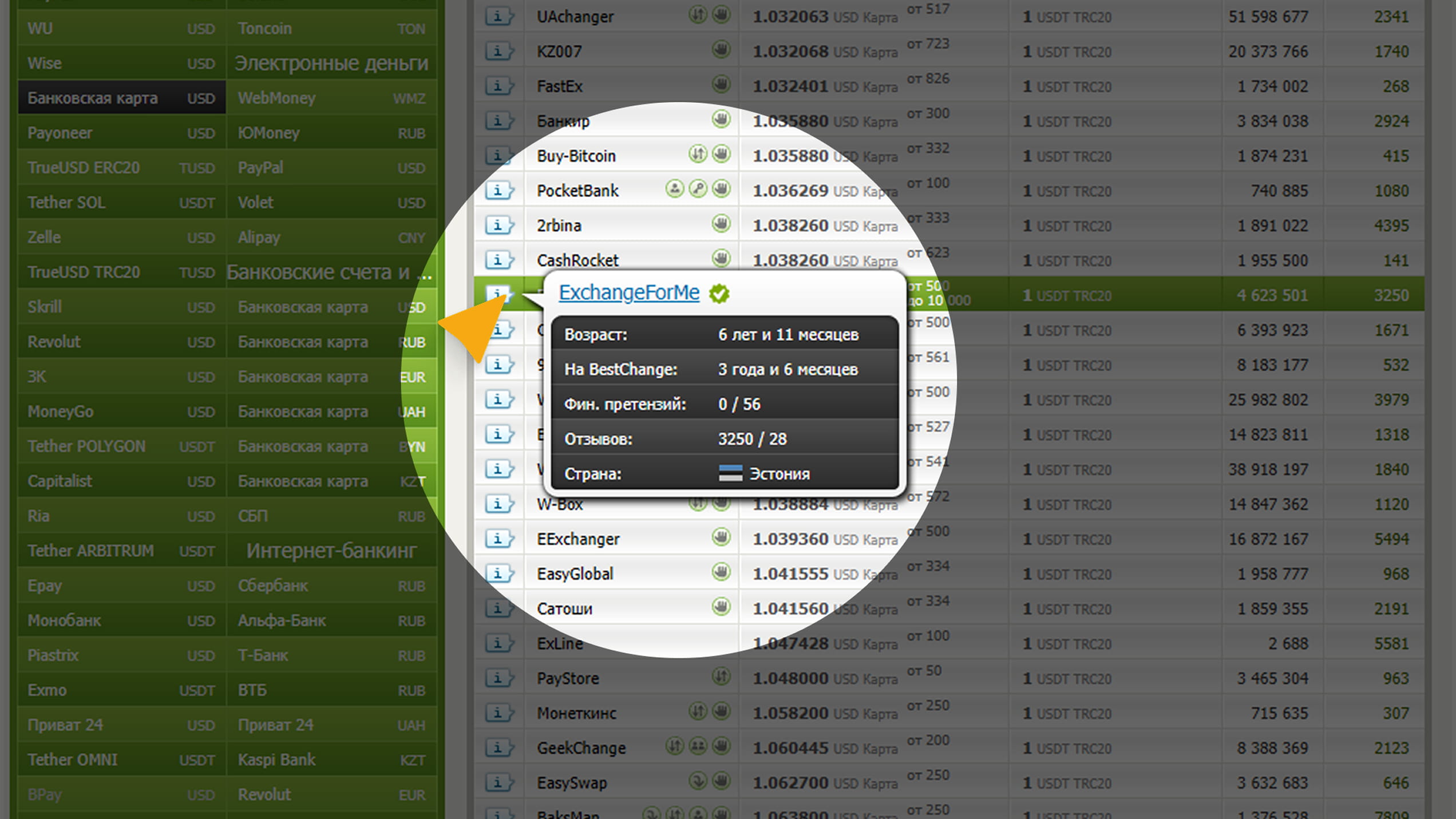
Отзывы и репутация Наведите курсором на название обменника —
появится краткая информация:
• Сколько лет работает (чем старше,
тем надёжнее);
• Количество отзывов;
• Тип обмена: автоматический
(1–10 мин), ручной — оператор подтверждает перевод вручную (от 10
минут до нескольких часов).
3
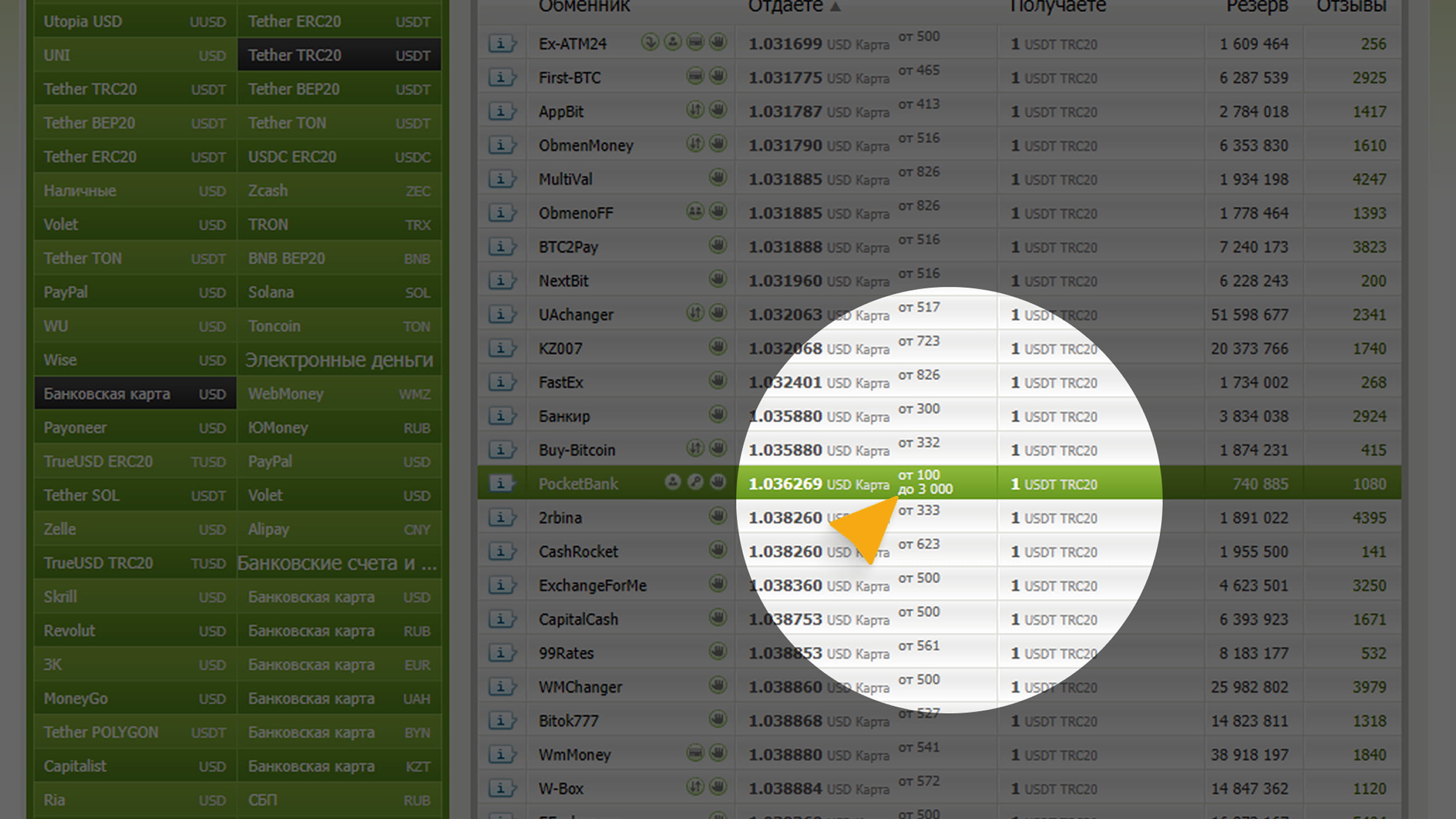
Лимиты и резерв Рядом с курсом указаны:
• Мин/макс сумма;
• Резерв — сколько
USDT есть в наличии у обменника. Если ваш обмен больше резерва,
операция не пройдёт.
4
Комиссия
Курс на BestChange уже включает комиссию обменника.
Но
перед оплатой внимательно проверьте, не добавляет ли сайт
дополнительную комиссию при подтверждении заявки.
5
Сеть перевода
Обязательно убедитесь, что указано USDT TRC-20 (сеть
Tron).
Если выберете другую сеть, монеты не поступят на кошелёк.
6
Перед крупной покупкой проведите тестовый перевод на минимальную
сумму. Так вы убедитесь, что всё работает корректно и без задержек.
Как приобрести USDT (TRC-20) через обменник el-change.com?
1
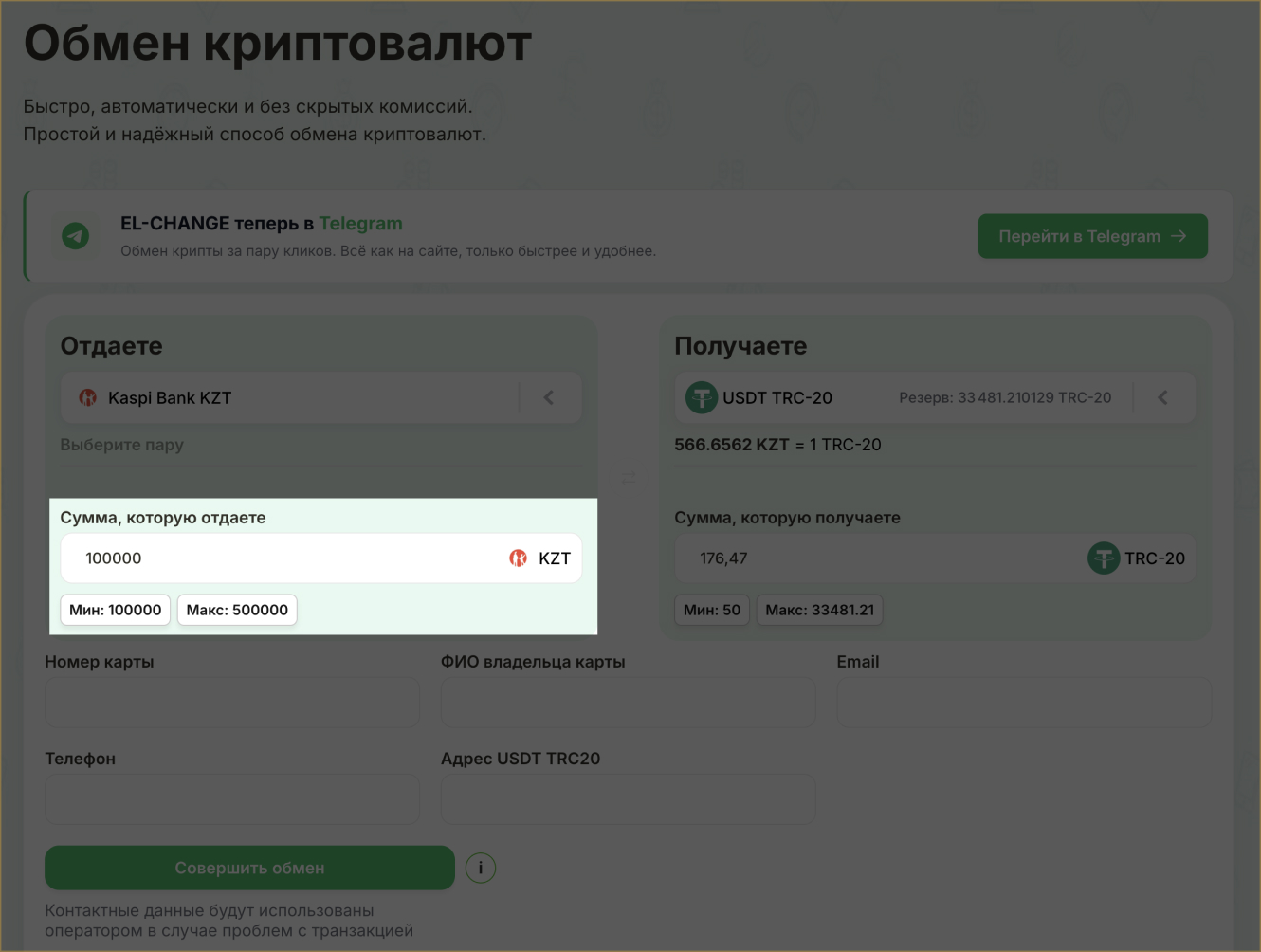
На сайте BestChange выберите el-change.com из списка обменников.
2
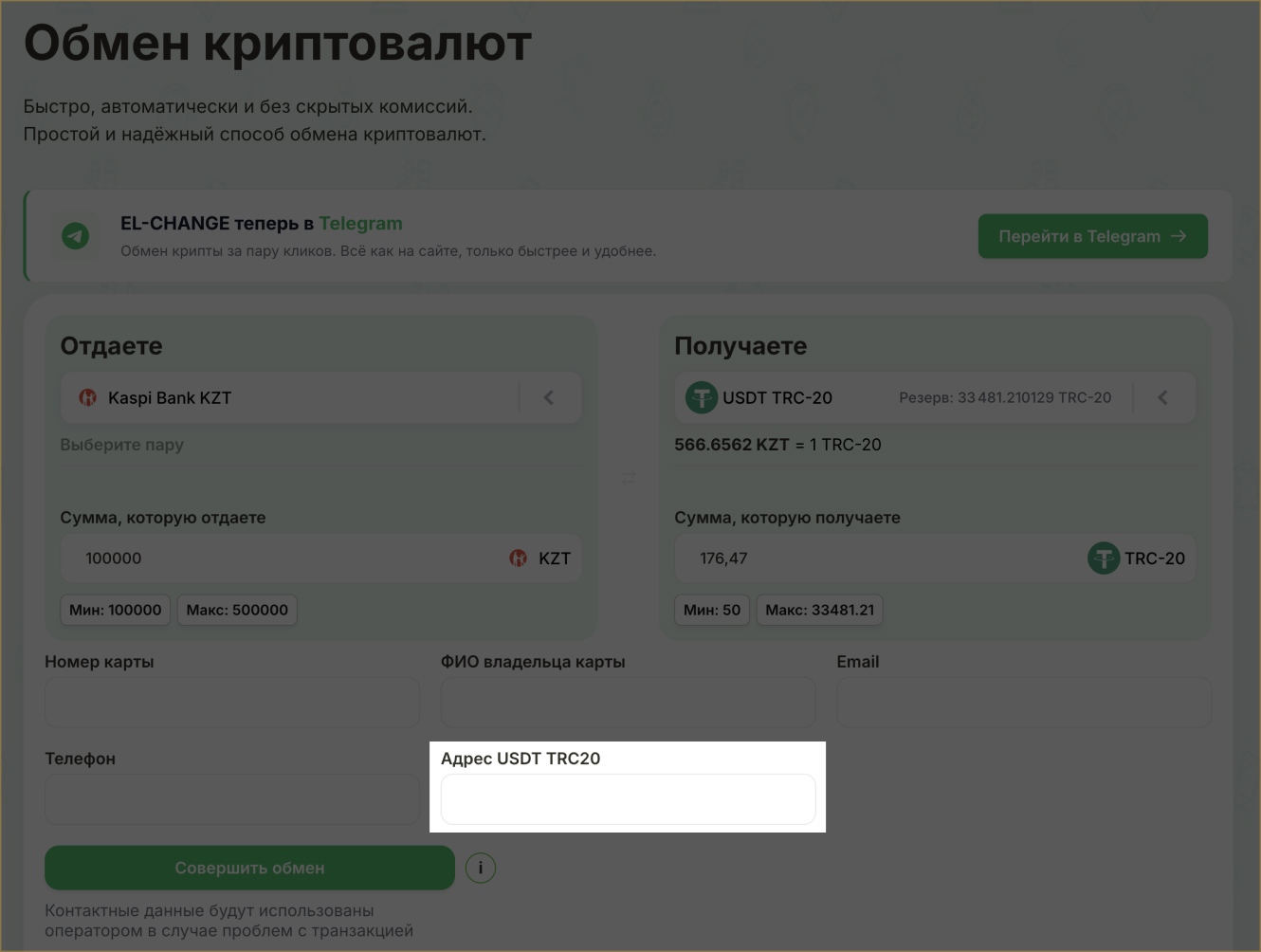
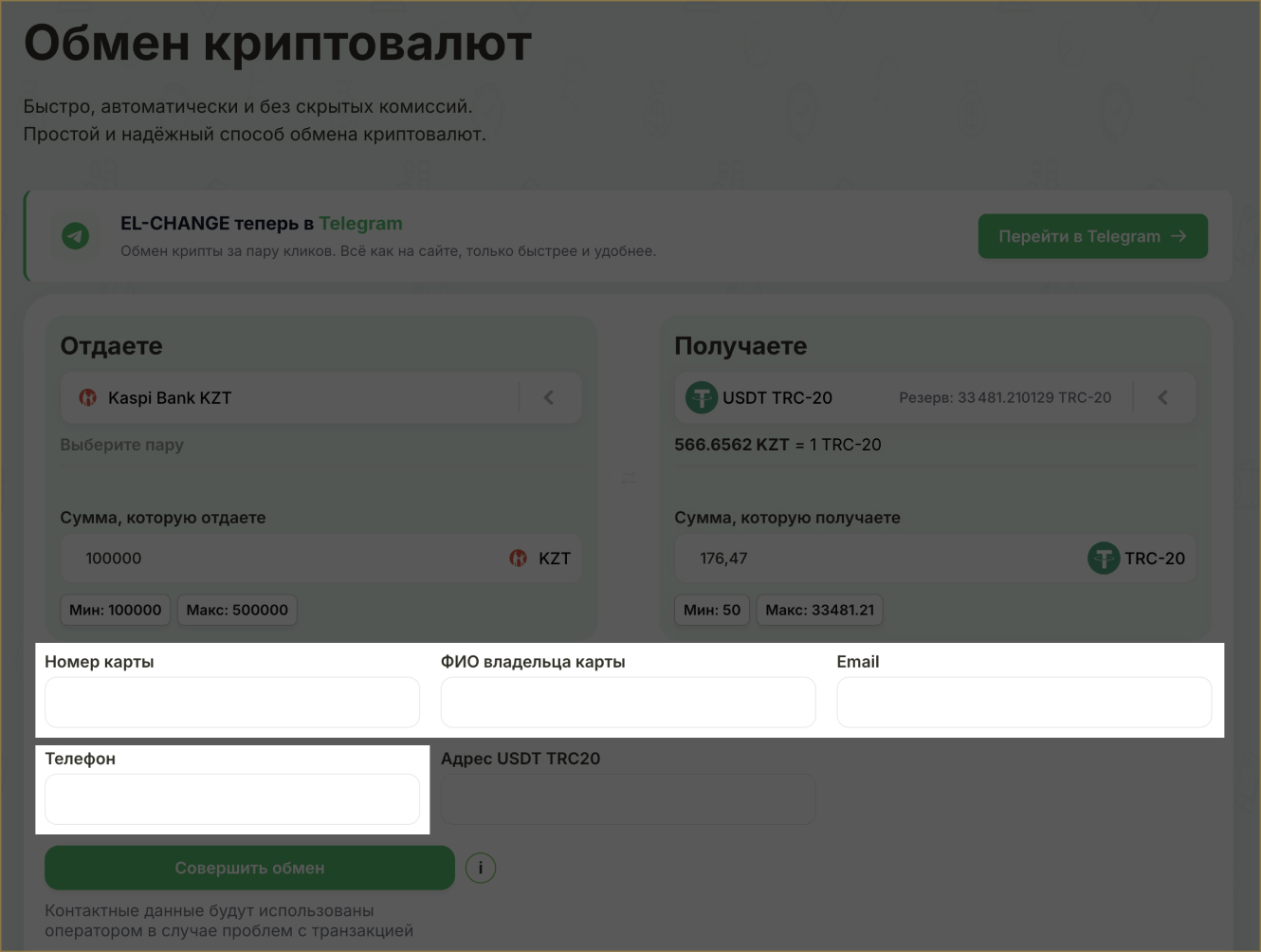
На открывшейся странице, в поле «Сумма, которую отдаёте» введите
сумму в тенге (KZT).
Укажите номер карты Kaspi Bank, ФИО владельца, телефон и email.
5
Проверьте правильность всех данных и подтвердите оплату.
6
После подтверждения ожидайте зачисления средств на Ваш игровой счёт.
Вариант 2: Пополнение криптокошелька через биржи
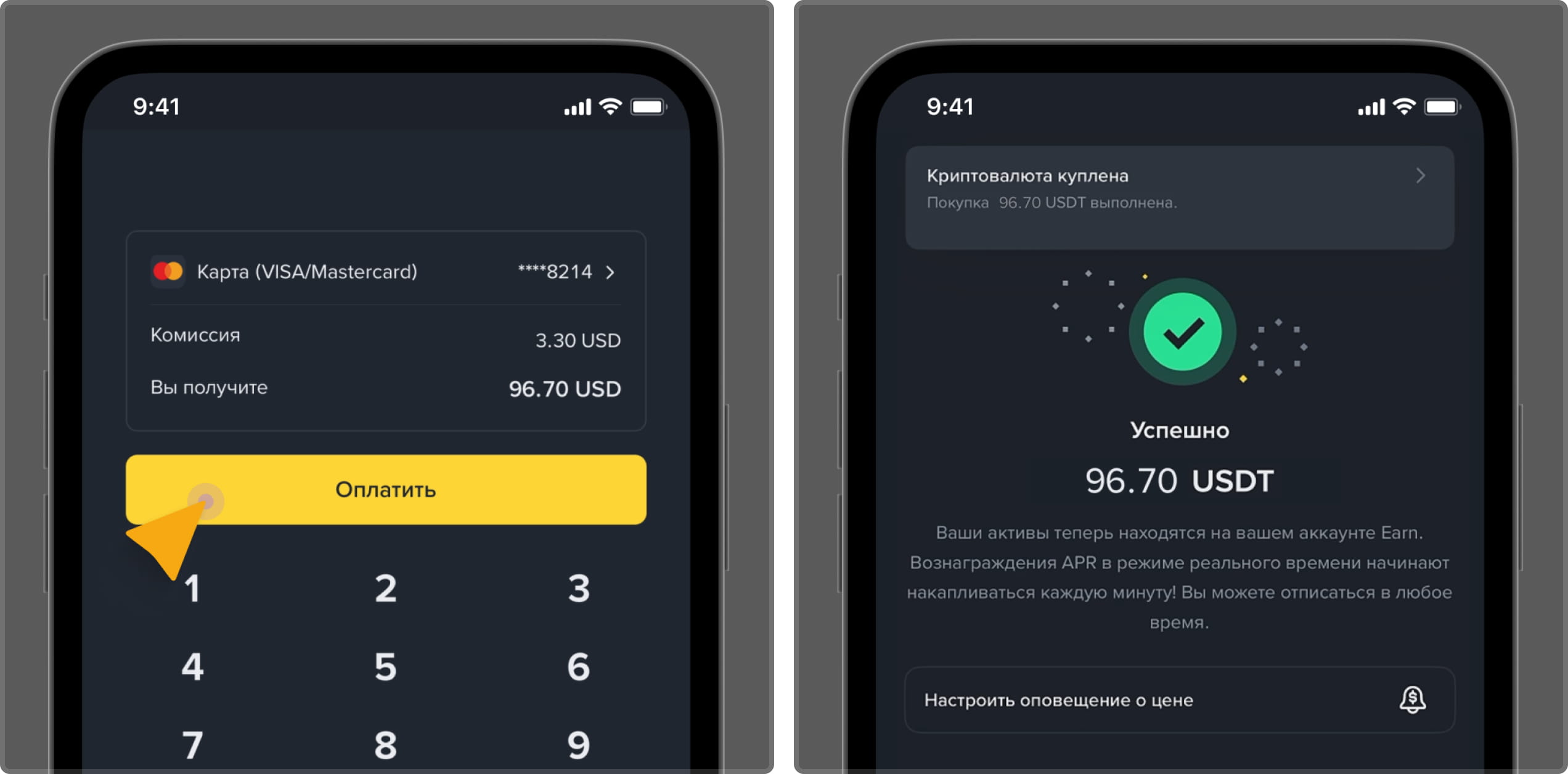
Криптовалюту можно приобрести на надёжной бирже и отправить её на Ваш игровой
криптокошелек. В качестве примера бирж для покупки криптовалюты можно рассмотреть:
Binance, Bybit, Bitget, KuCoin, OKX.
Как приобрести криптовалюту на бирже?
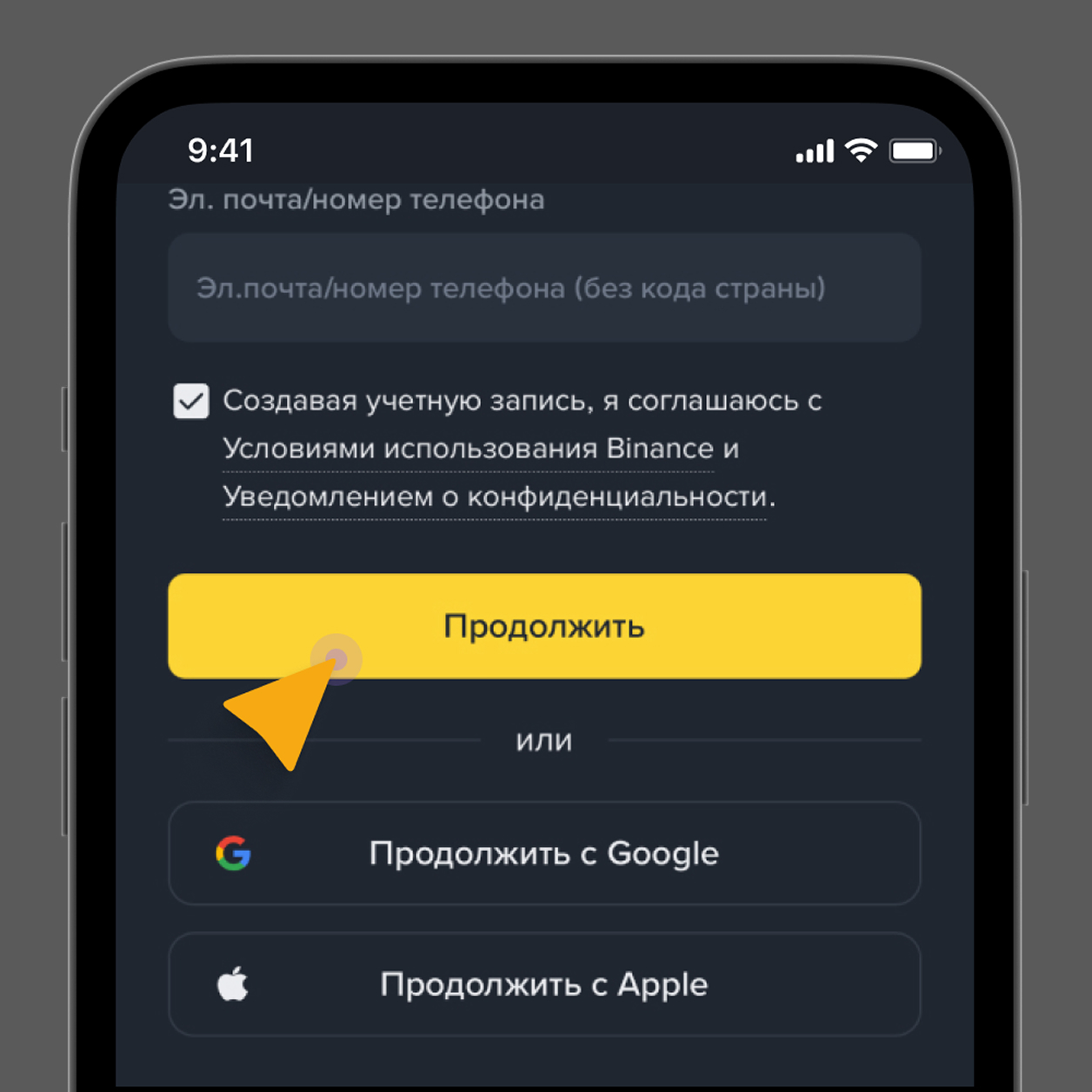
1
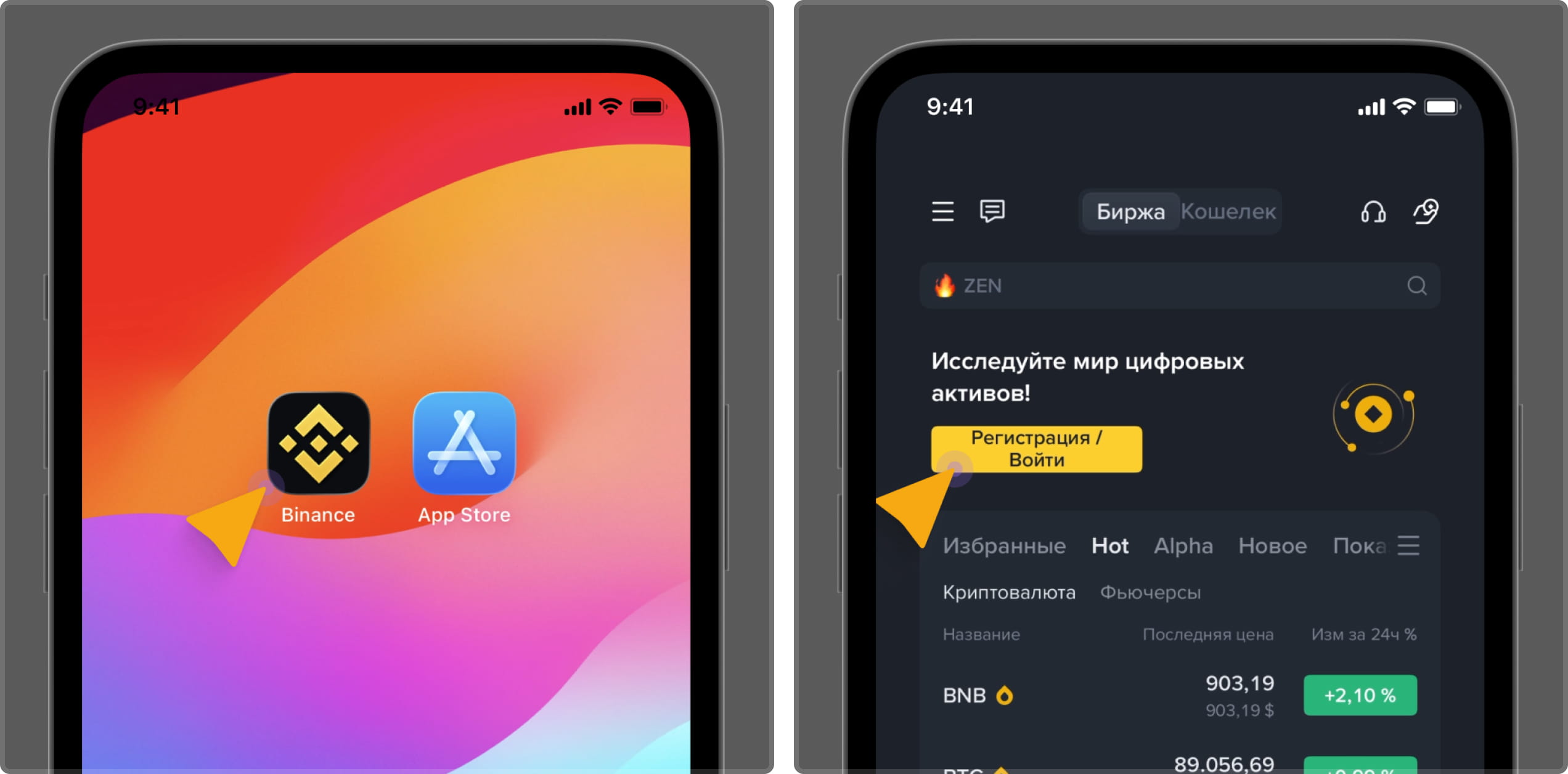
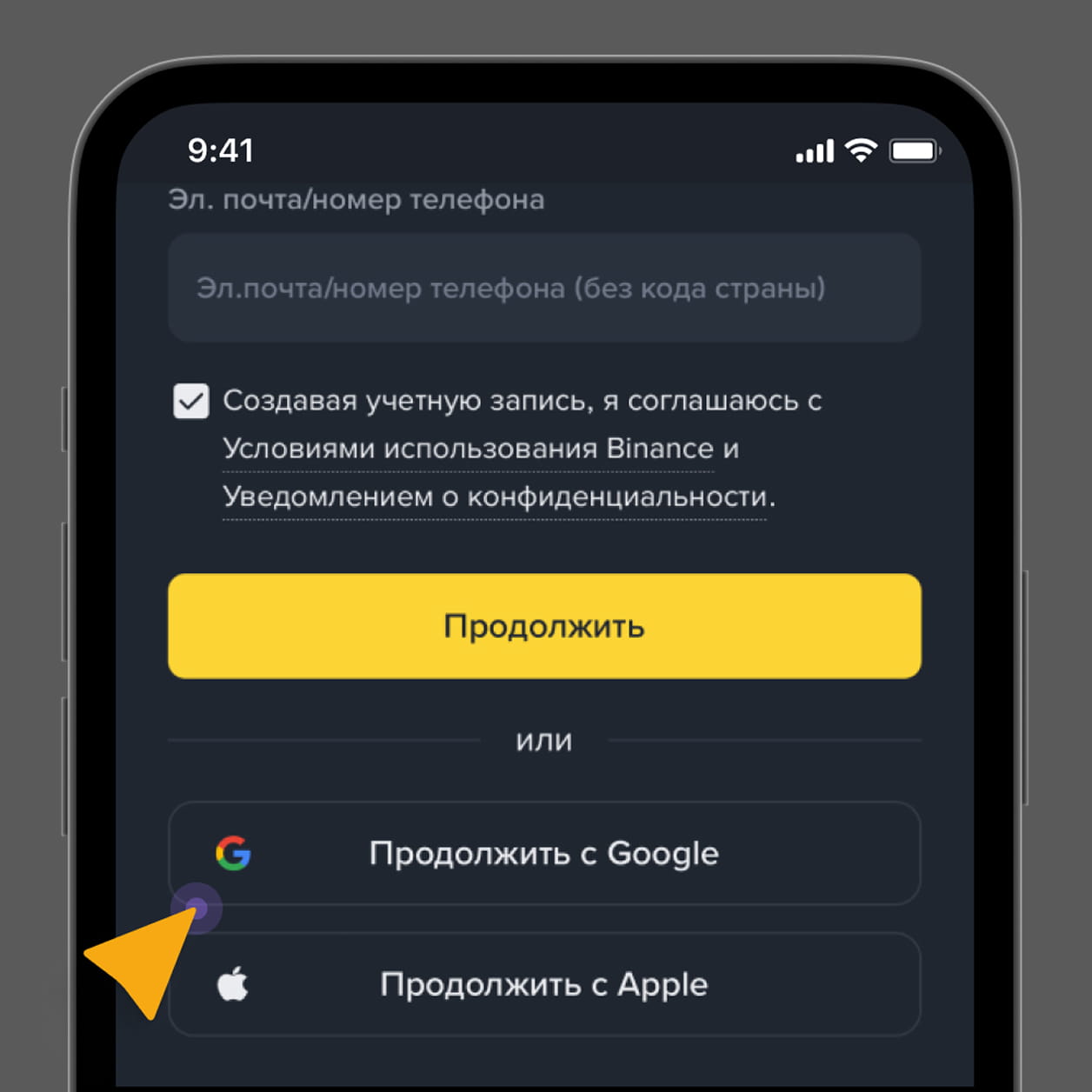
Перейдите на сайт криптобиржи.
2
Создайте аккаунт в вашей валюте и пройдите верификацию.
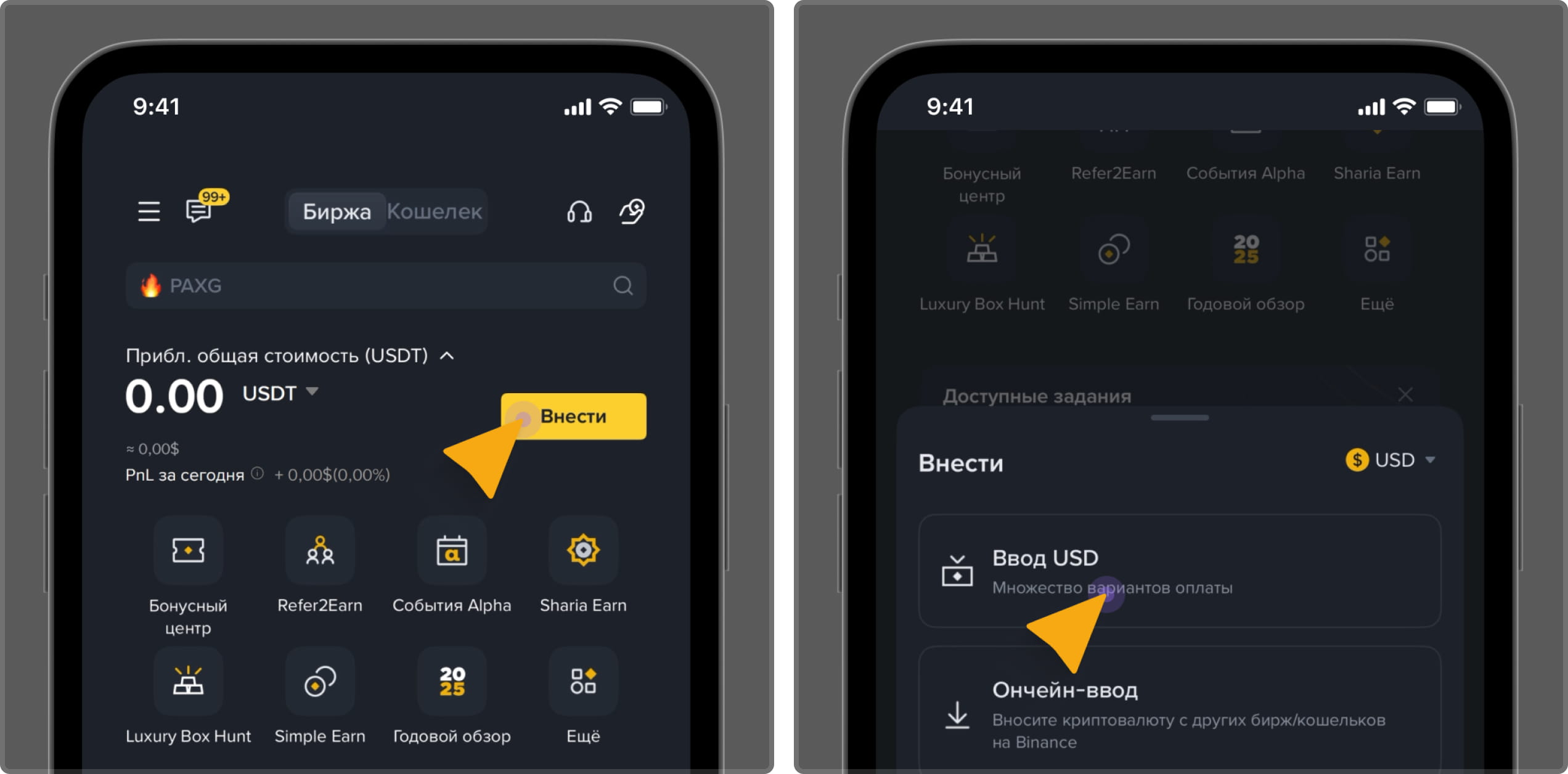
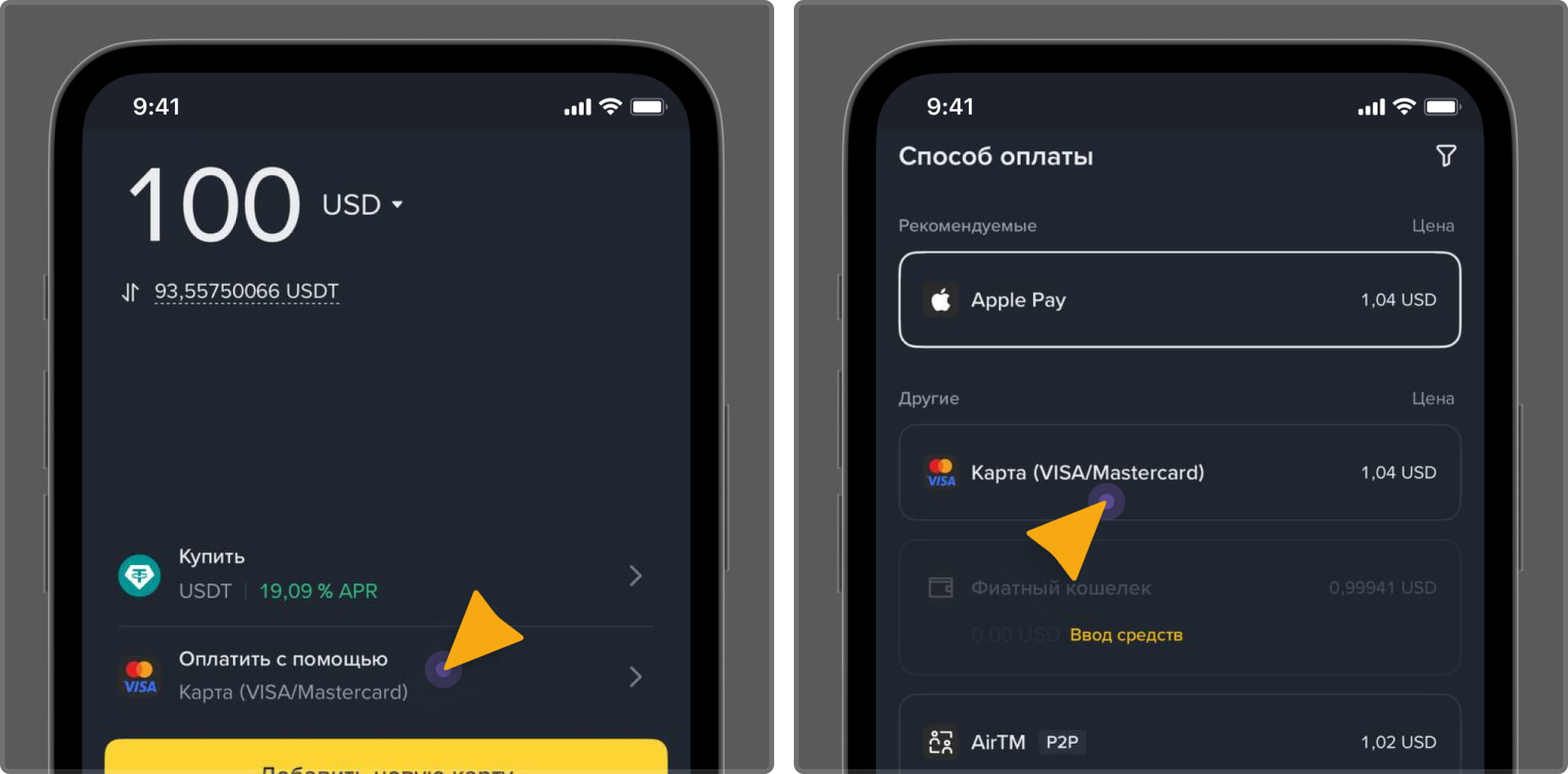
3
Пополните счёт в вашей валюте с помощью банковского перевода, кредитной/дебетовой
карты, электронных кошельков или других способов, предлагаемых биржей.
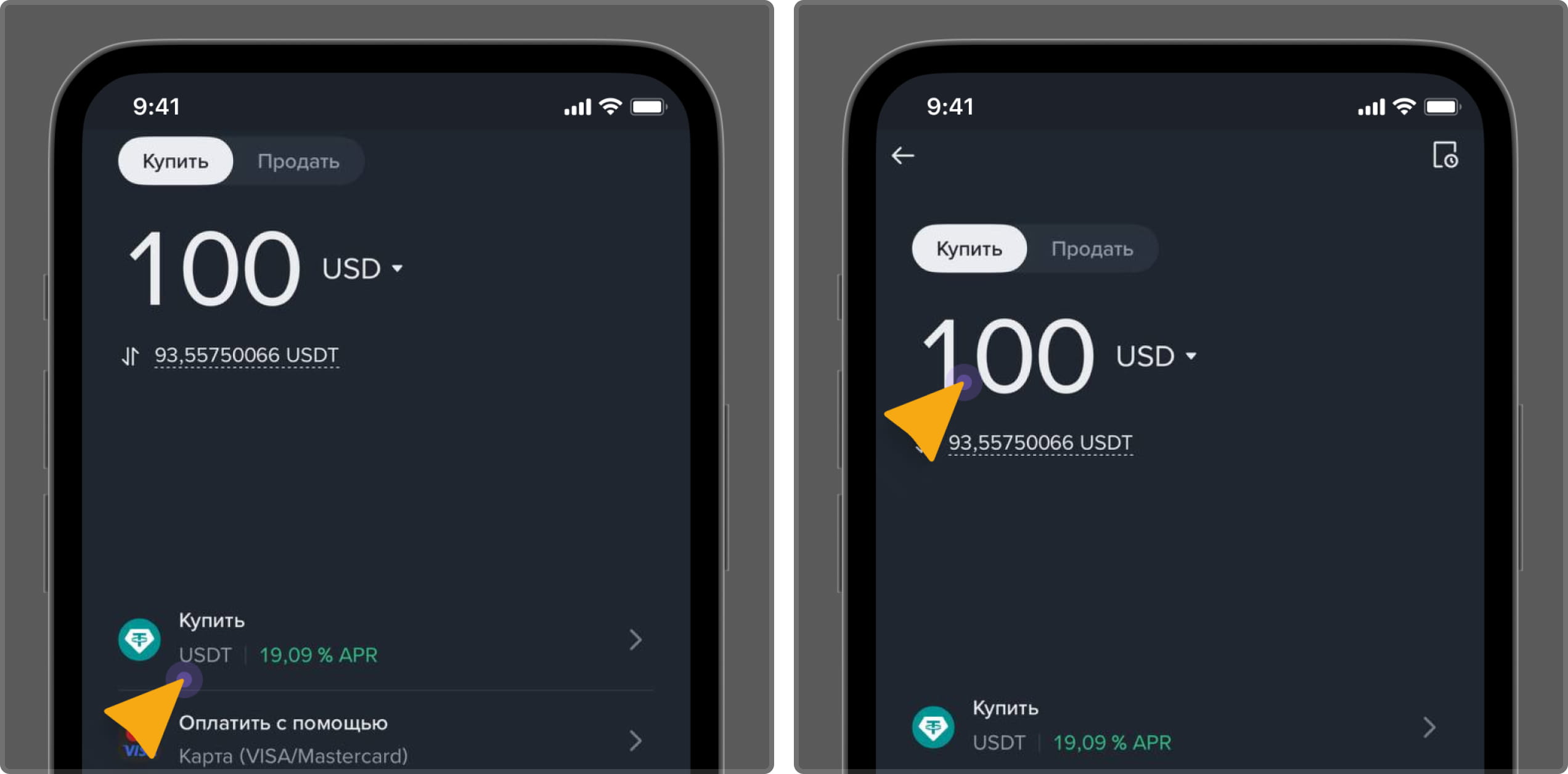
4
Перейдите в раздел «Торговля / Купить», выберите нужную криптовалюту и
убедитесь, что выбрали верную сеть. Совершите покупку выбранной
криптовалюты.
5
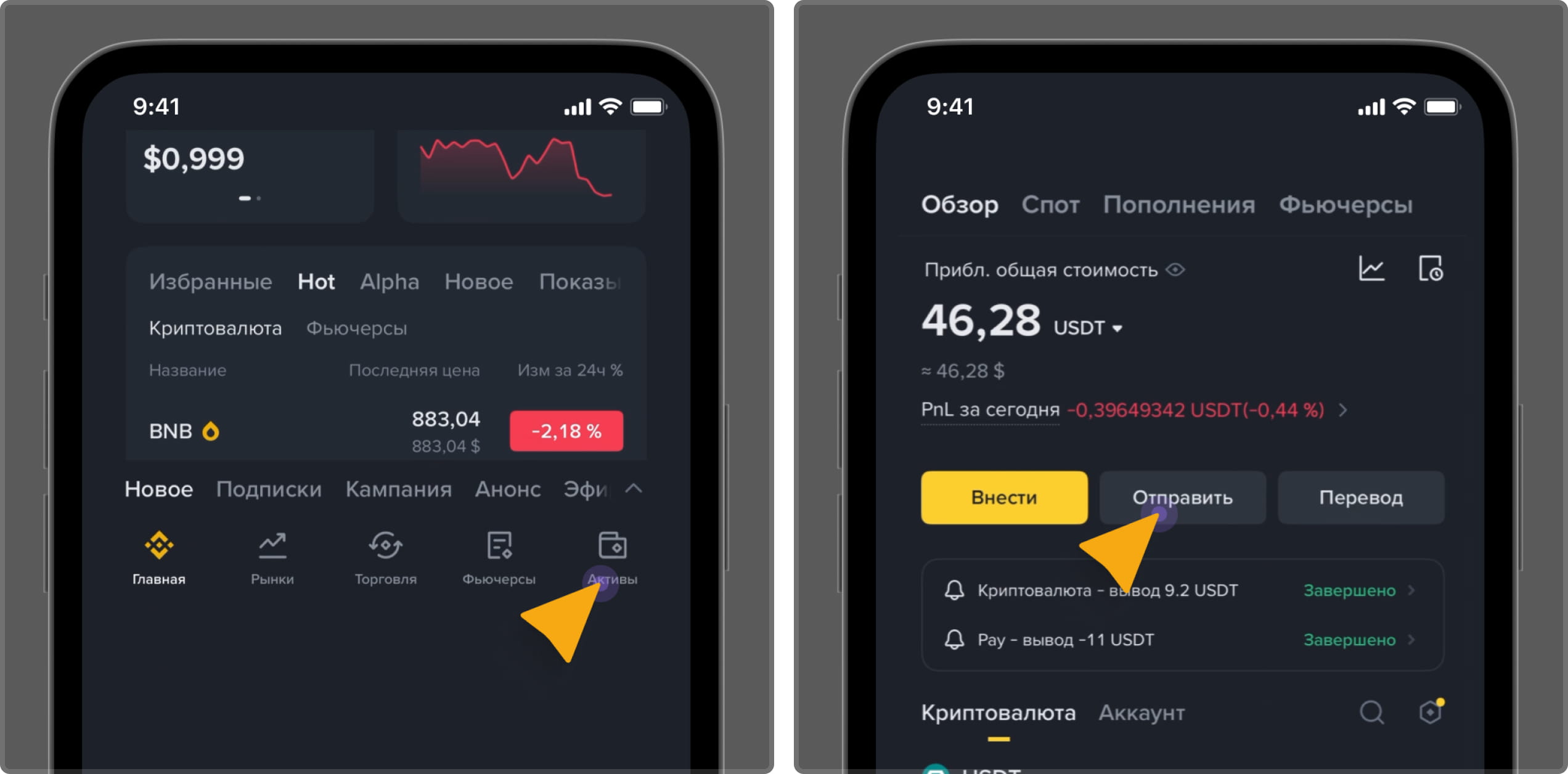
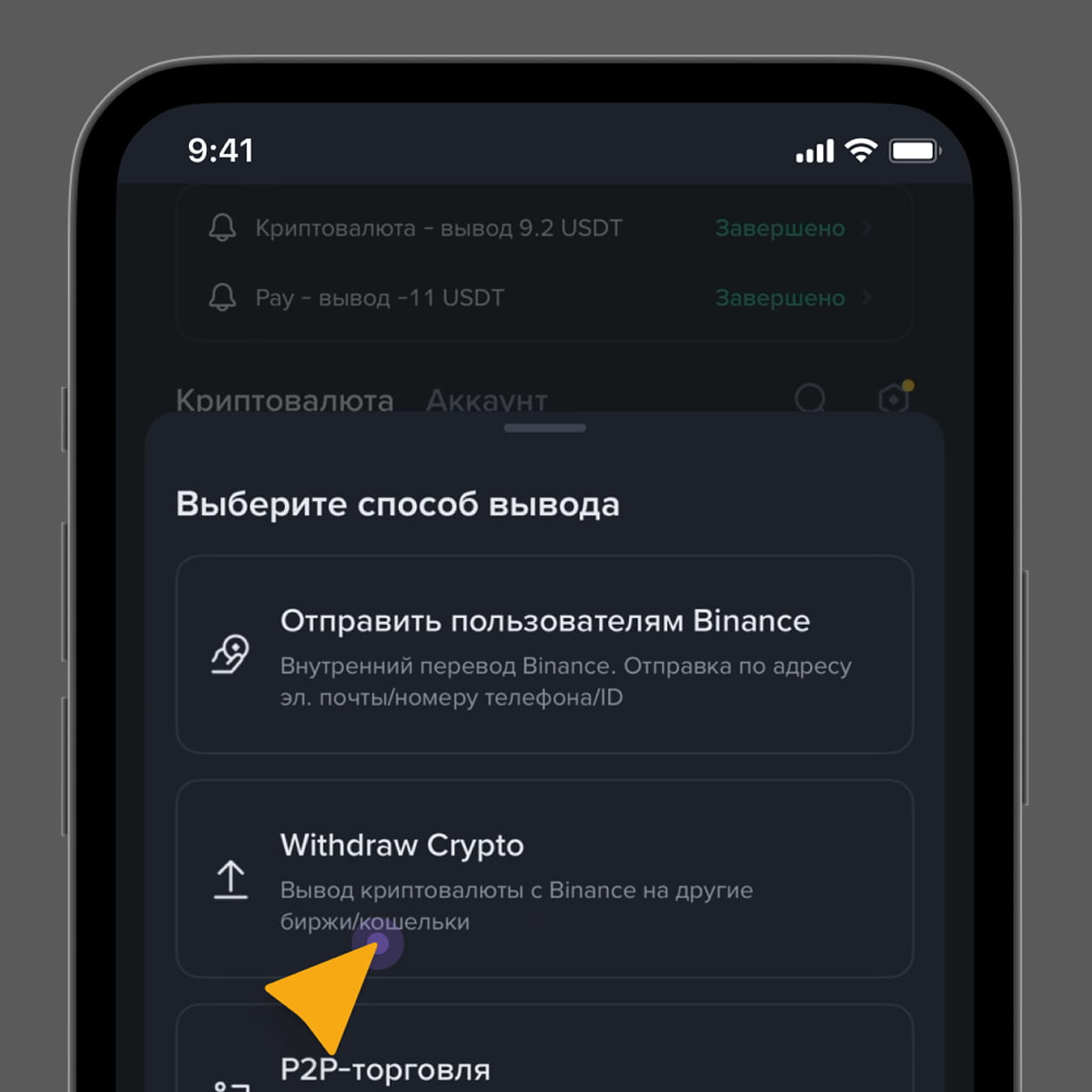
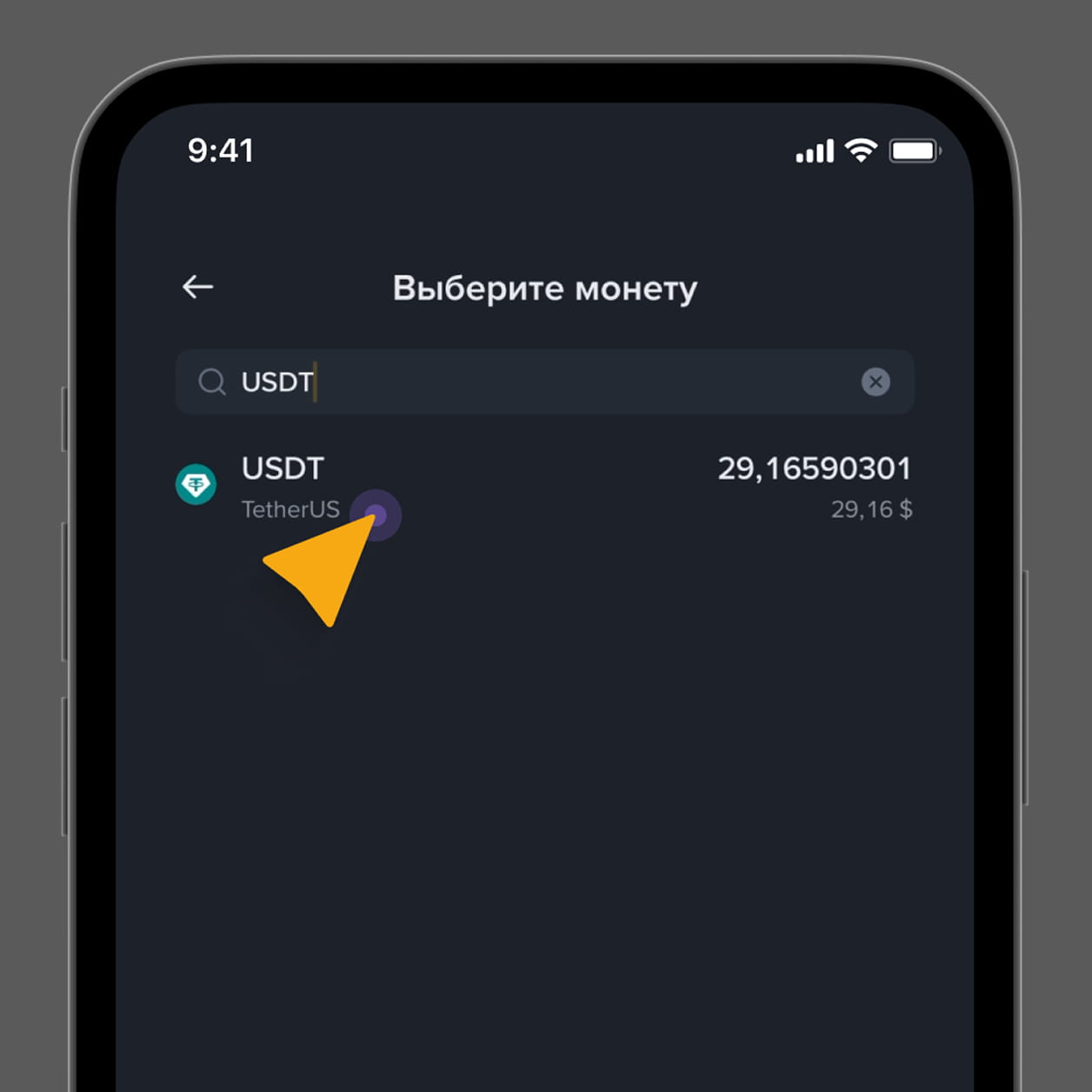
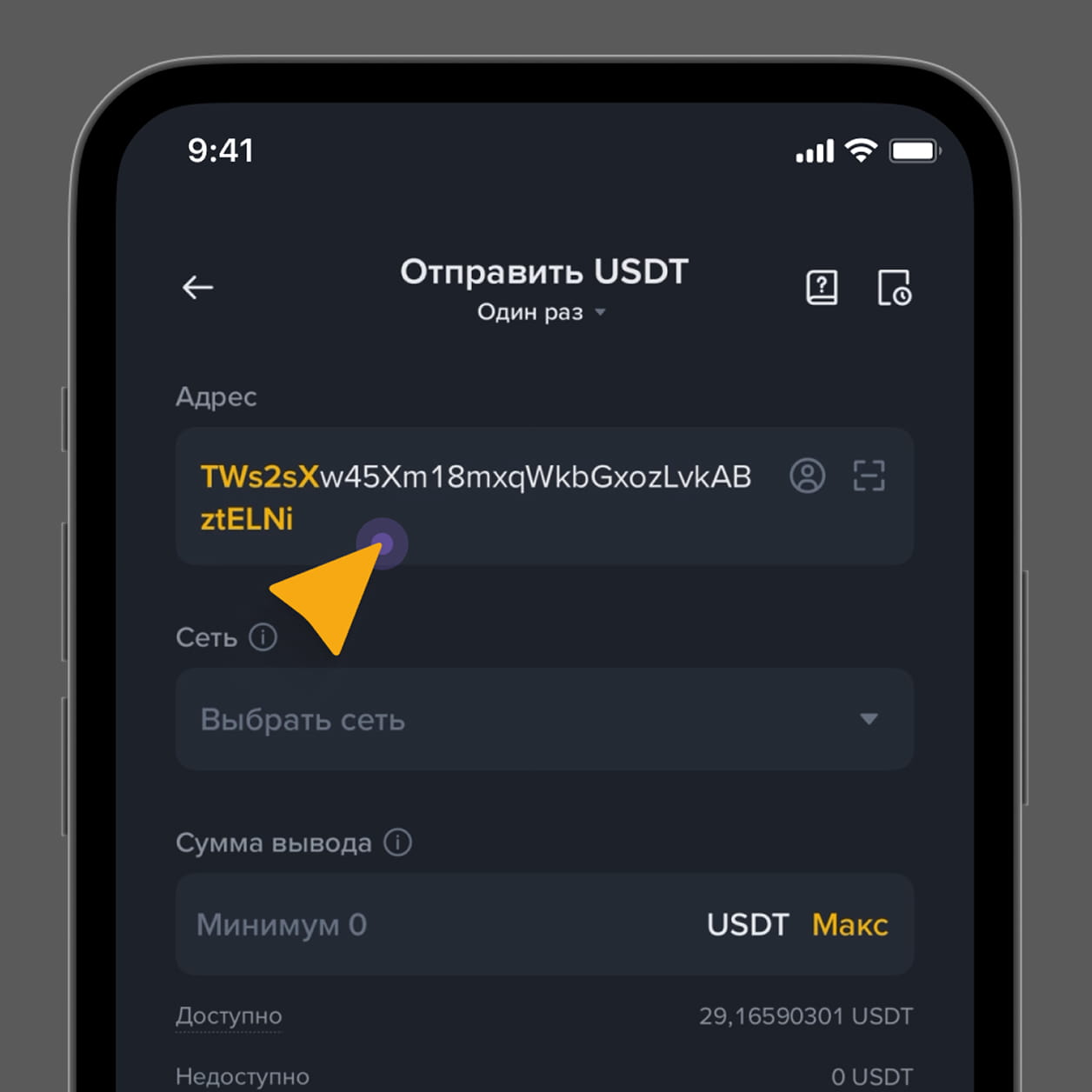
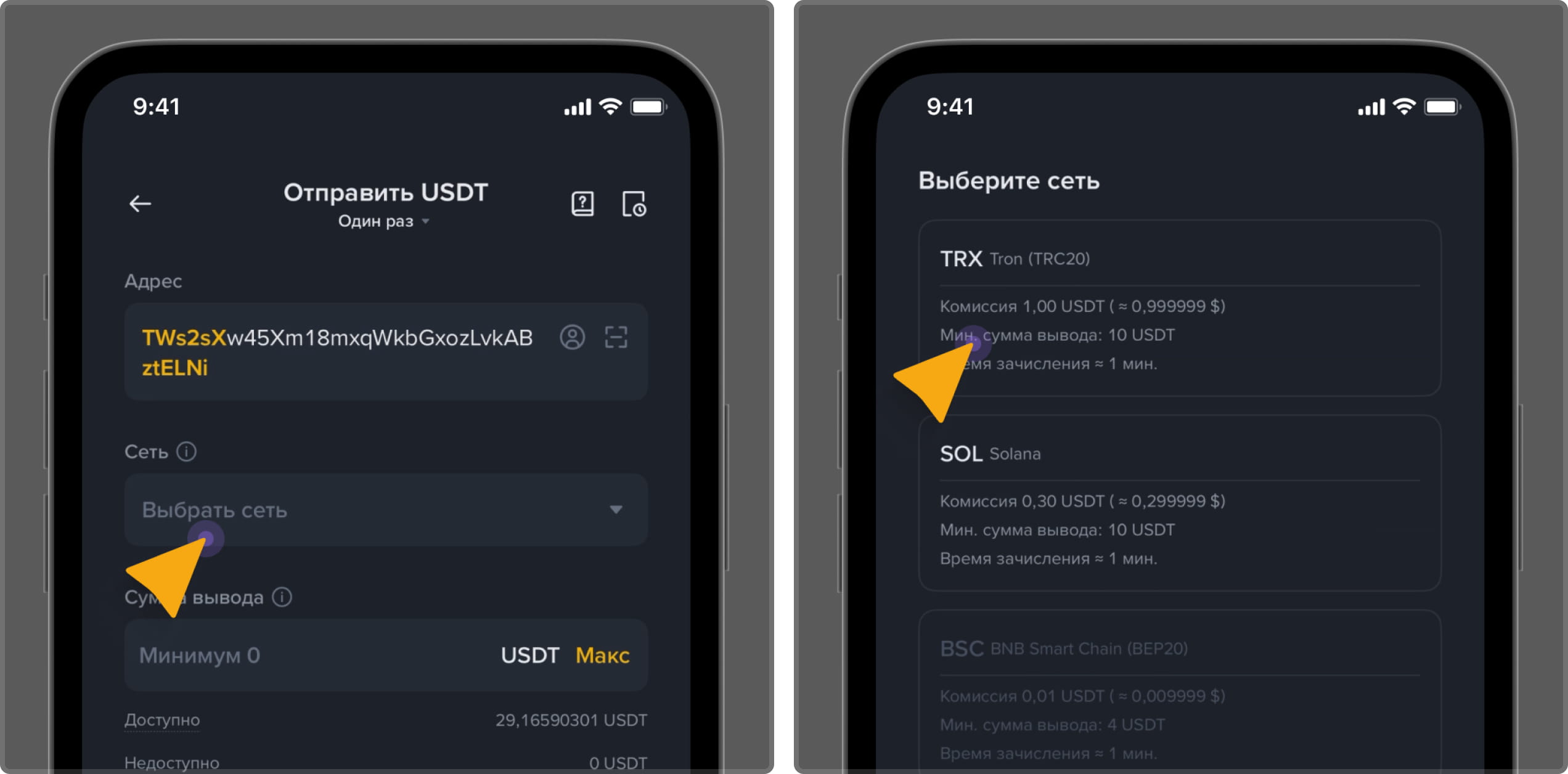
После покупки перейдите в раздел «Вывод» / «Withdraw», укажите
Ваш игровой криптокошелек (или отсканируйте через QR-код в разделе «Касса/Пополнение»),
выберите верную сеть, введите сумму и нажмите «Подтвердить».
6
Ожидайте зачисления средств на Ваш игровой счёт.
Комиссии на биржах состоят из двух частей: комиссия за покупку криптовалюты и
комиссия за вывод/перевод на другой кошелёк. При покупке комиссия зависит от
выбранного способа: P2P обычно без комиссии, покупка с карты — выше. При выводе
криптовалюты комиссия зависит от сети, в которой Вы отправляете: например, USDT
в TRC-20 стоит минимально и приходит быстрее, а в других сетях комиссия может
быть значительно выше.
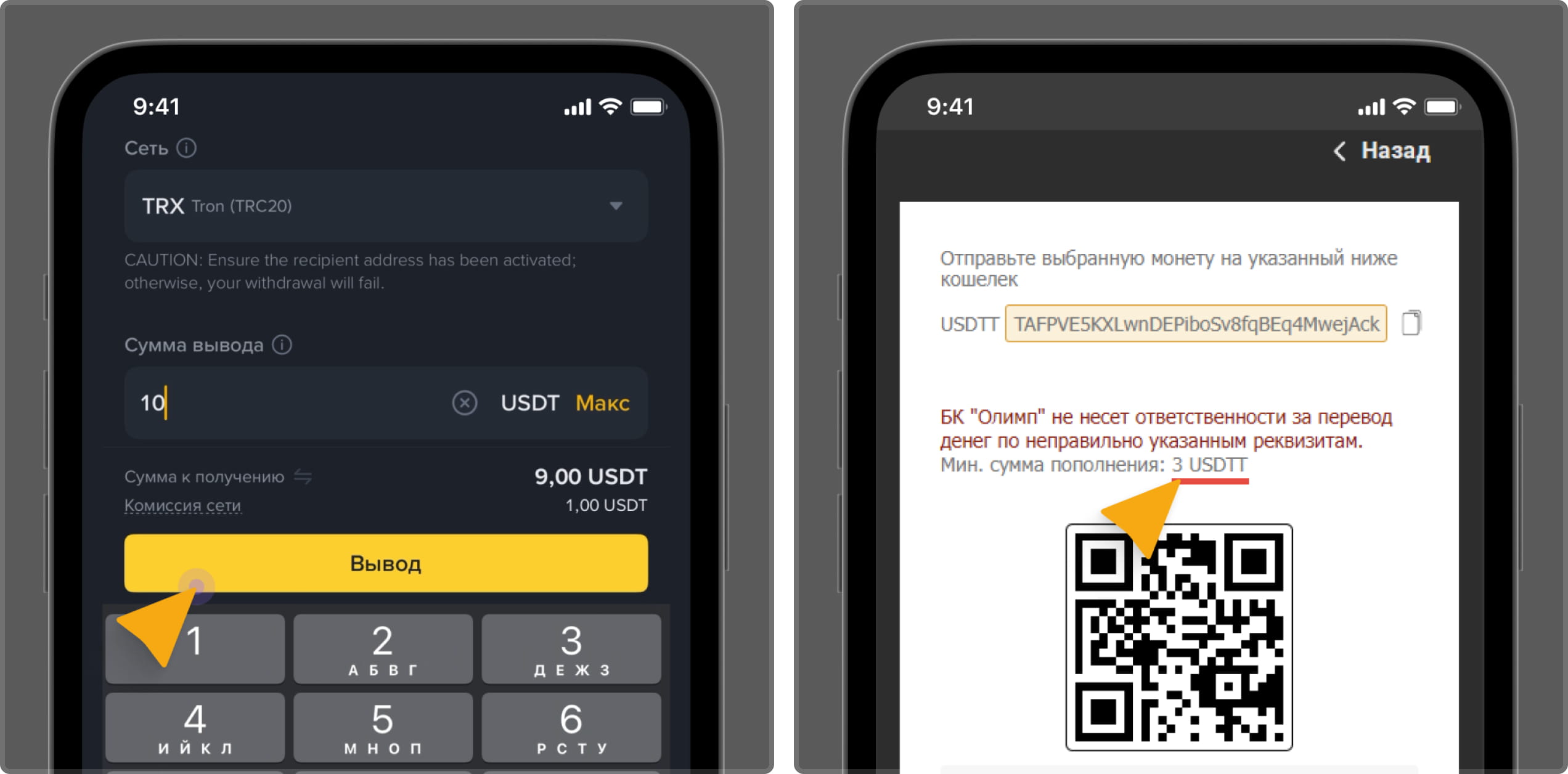
Убедитесь, что в строку “Сеть” указали верную сеть отправки “TRC-20”.
6
Введите в строку “Сумма” желаемую сумму криптомонеты для перевода на игровой кошелек.
Перед отправкой проверьте допустимую минимальную сумму отправления на игровой кошелек.
7
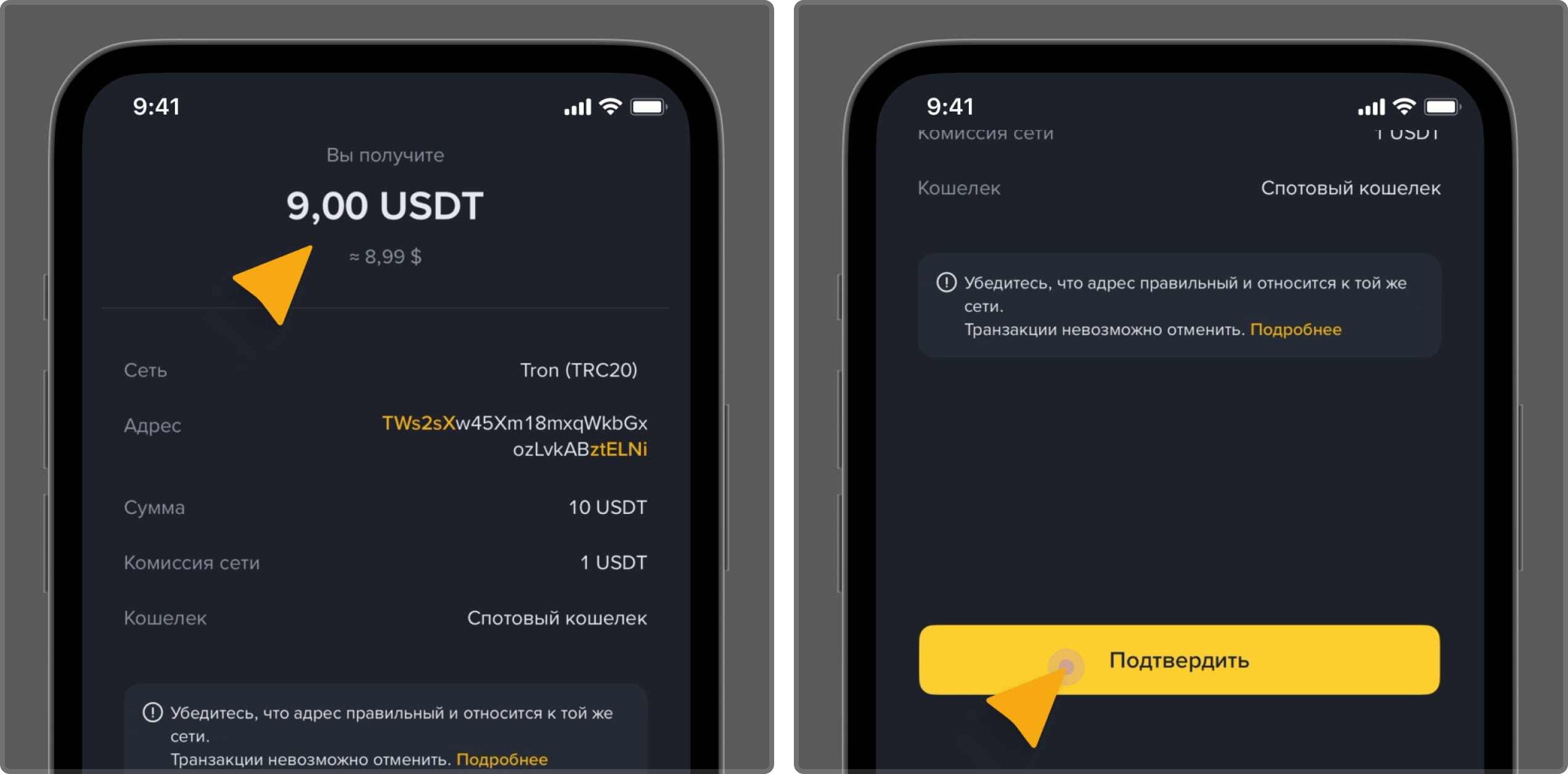
Ознакомьтесь с суммой получения ниже, подтвердите перевод криптовалюты и ожидайте зачисления средств на Ваш игровой счет.